Showing posts with label Maya. Show all posts

Monday, 26 October 2015

Maya: Digital Sets - Modelling

Modelling digital set from scratch for first time - discovering modelling components 'in mid-air' by judging dimensions from front, side and bottom:
Boston, 1858 (James Buchanan) - ideally advancing from loose concept art and becoming more technical and realistic (e.g. Boston street like theatre design, exhibition design, game map, etc.) - ability to grab by the hands both imagination and logic effectively:

 
Front view of Boston Street:
Lamp post, archway, crates and window - all to be made from cubes, whether distorted or not:


 Side view:


Top view - ideal street corner partially covered by archway:


Placing image planes in different dimensions, then dimming their lighting to pay close attention to 3D modelling:


Creating primitive cube, changing its pivot, highlighting its vertices to stretch box towards wall at back, before deleting some of its faces to set basics of wall corner:


Carving with edge tool to draw out separate window, plus ability to make three planes invisible to see how convincing and believable digital set is so far:


When first pressing key 3, wall corner collapses on itself very easily (porthole window in spacecraft), as not much support, so adding more horizontal and vertical lines with edge tool throughout component, as well as pushing little out to draw windowsill, to create stronger-looking wall corner when refined:

 
Boston street corner so far:

Monday, 19 October 2015

Maya - Animating in 3D Software

Exciting exploration of basics of 3D animation - Rigs, Motion Paths, MEL and Dynamics:
Rigs - operating custom rigger controls of cartoon vehicle made by that designer, with additional attributes - Accelerator Brake, Turn LR and Side Roll - already exploring deeper into how vehicles are designed and operated in real life in order to adapt and/or exaggerate in animation:
E.g. royalty-free 3D model marketplace websites for visual effects, animation, etc. - e.g. www.turbosquid.com
Operating skidding and stopping via graph editor below - quite like operating roller coaster control board:

 
Playblast Video - Complete animation with added motion blur:
 
 
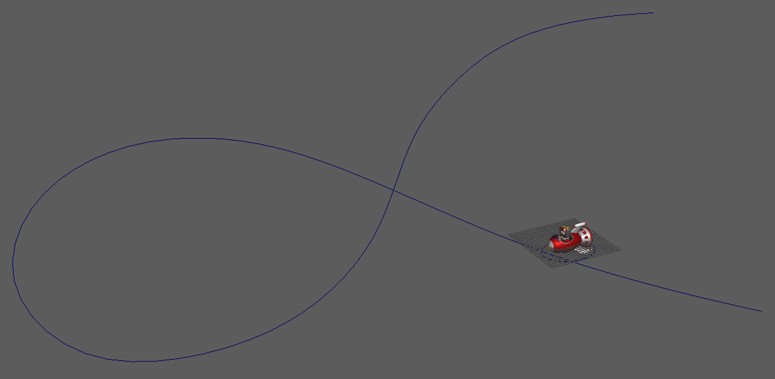
Key Framing [spaceship flying through sky/space] - working on wavy graph editor, quite like interacting with artificial real-time events as well as operating roller coaster track. Different animation at different components - reconfiguring spaceship on its axes [figuring out where front and top is], exciting result when changing speed to slow down at beginning and end [greater effect with added motion blur]. Always remember to remove NURBS curves to remind you you're not constructing any kind of track:

 
Playblast Video - Complete animation with added motion blur:
 
 
MEL [Maya-Embedded Language] [worrying robot running and jumping about] - probably most labour-intensive of all four processes - involving quite-lengthy coding and mathematical language [e.g. Sin wave] - but great for creating repeating mechanical looping animations - e.g. factory's gears and cogs, water ripples in pond, etc. Always end any mathematical code with semicolon:


Playblast Video - Complete animation with added motion blur:
 
 
Dynamics [dangling chain links] - utilizing gravitational pull, much of CG visual effects industry uses dynamics. Using low-polygon proxy model before rendering and adding texture. Ability to achieve realism on level probably more impressive than real life. So many mathematical equations involved explaining slow speed of loading each frame, but once selecting Bake Simulation and Delete Rigid Bodies, surprisingly speeds up [I thought the complex animation was too much for the computer!]:

 
Playblast Video - Complete animation with Blinn texture and added motion blur:
 

Sunday, 18 October 2015

Maya - Lighting & Batching

One, Two & Three-Point Lighting - exploring possibilities between replicating real world lighting and creating stylised lighting - created through cone-shaped spotlights at particular locations and reconfiguring intensity, etc.:
 
Exploring Volume Light - exciting dark interaction turnout, as if alone character flying in dangerous territory:


Gradually positioning four cone-shaped Spot Lights, practicing reflecting enough healthy light on all areas possible - not left behind, but not too intense either [take notice of indoor/night-time lighting in real life]:


 Final robot-rocket creation:


Batch Rendering:
First exploration of technical animation - full 360 degree turn of rocket/spaceship, focusing on timeline feature in bottom of Maya board, all 100 frames rendered and to be viewed in F-Check program that came with Maya 2016 when downloaded - ideal first step into CG animation practicing:

Thursday, 15 October 2015

Maya - UV Blocks

Exploring UV layering and lighting, and utilising both Maya and PS for first time - opportunity to explore even further with coat layering on complex shapes, as colours can be personally chosen and handcrafted - e.g. freelance artist Massimo Righi wrapping realistic photo-based painted animal textures around 3D models - e.g. Trapped - www.massimorighi.com/portfolio/trapped


Reconfiguring UV plane above box and placing UV plan within XY graph:


Reshaping into six squares to create UV net - remembering to right click and drag to correct option [quite like in The Sims where you get to choose option buttons surrounding character's head]:


Copying and pasting net into PS TIFF file, painting and and adding typeface in PS to create toy blocks, making use of Shift when dragging objects and paint bucket tool:


Wrapping new colourful net around block - really convincing result, although some painted squares look slightly out of place inside thick borders:


Pressing 3 key to smoothen corners and rendering in Maya with reconfigured Blinn layering, readjusting light sources and reflection strength:


First rendering result looking slightly too shiny and bright, so toning down in some controls on panel on right - rendering again, more believable blocks drawn out on puzzle board that came with Maya file:

Monday, 5 October 2015

Maya: Texturing - Common Shaders

Exploring shades-textures in Maya exercise - playing with light contrast, opaque vs. transparent, appropriate colours for anxious robot context:
Probably won't be able to see textures in real life the same way again - now taking notice of materials I pass through campus building, how light is reflected off objects like the banisters, bins and lift doors:


Complete Anxious Robots in Maya - Ceramic, Steel, Silver, Bronze, Glass, Glow onto Object and Glow without Object:
 
 
Complete Flow Chart - depicting varying textures used - e.g. light bouncing reconfiguration, chrome effect onto colours, etc.:


 Examples of textures in construction - Thick Blue, Dark Silver [Chrome], White Silver with construction map in head's reflection, 'invisible' robot in rendering development of Glass robot: